



Viewing the User Activity Log
The user activity section lets you review all the actions users have performed in Griddo. From here you can monitor changes, identify incidents and keep control over the security and integrity of the content.
Only superadmin users can access this section, which provides a detailed view of what happened, when and who did it, with the ability to filter, change the view and even restore deleted content.
Available views
Section titled “Available views”The log offers two ways to visualize the information:
Activity timeline
Section titled “Activity timeline”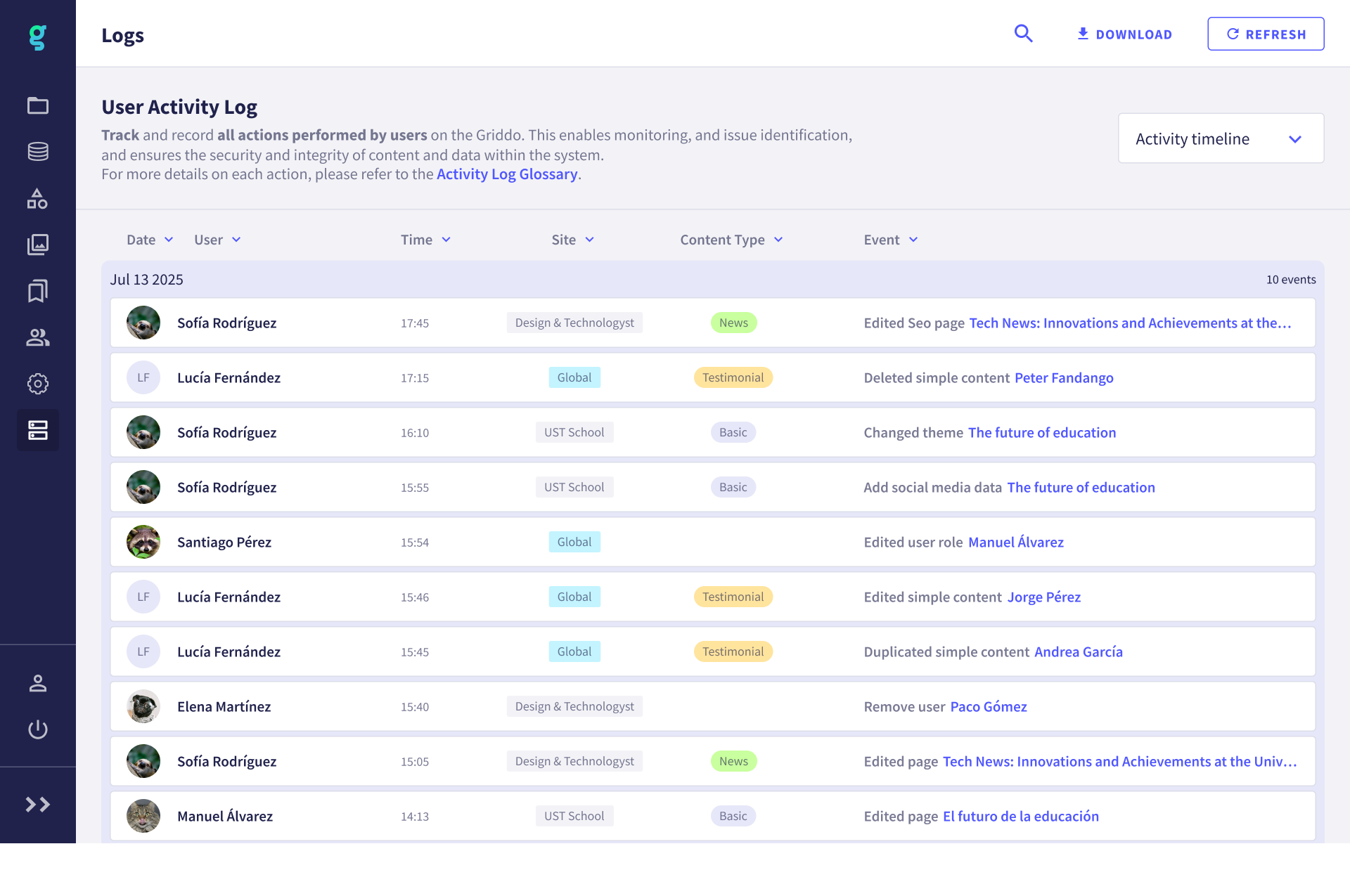
Shows the events in chronological order, grouped by day.
- Each block groups together all the actions that occurred on the same day.
- Within each block you can see the detail of each action with information such as: user, site, content type and event performed.
Grouped by user
Section titled “Grouped by user”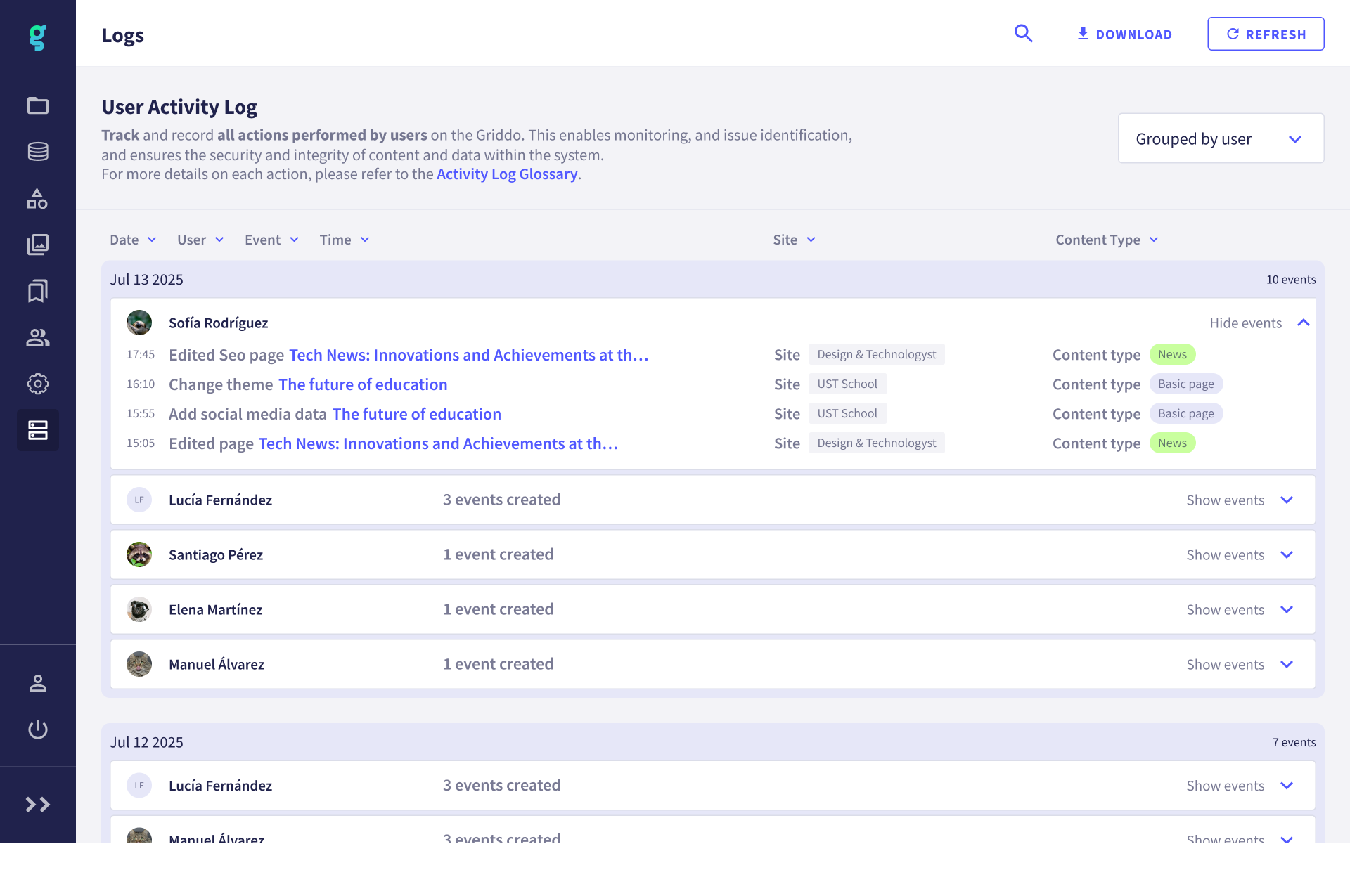
Lets you review the events organized by user.
- A summary is shown with the number of actions performed by each person on a specific day.
- You can expand or collapse the event detail per user.
- It also includes site, content type and event information.
Filters and search
Section titled “Filters and search”In both views you can filter the information to more quickly locate the events you are interested in:
- Date
- User
- Site
- Content type
- Event
Download and refresh
Section titled “Download and refresh”- Download: Exports the activity log.
- Refresh: Reloads the information to see the most recent events.
Restoring deleted content
Section titled “Restoring deleted content”When an item is deleted in Griddo (for example, a page, a simple content, a header or a category), the action is recorded in the user activity log.
In these cases, when viewing the event detail, we have the option to Restore. When we do so, the item becomes available again on the corresponding site, just as it was when it was deleted.