



Key concepts
Do you want to build your site with Griddo and unlock its full potential? Griddo relies on certain fundamental concepts that are important to understand in order to get the most out of the tool. Below, we explain the most relevant ones in a clear and simple way.
A site is the set of pages, settings, and content that make up a web project within Griddo. Each site is independent, which means you can manage several web projects from a single place without them interfering with one another.
A site can be made up of:
- Site-specific pages (site content).
- Global pages and data, which can be shared with other sites within your Griddo account.
A page in Griddo is an independent unit of content within a site. Each page has a specific purpose, such as informing, attracting students, or showcasing products. Pages are created and edited in the editor, where you can add and organize modules and components to build their content.
In addition, Griddo is a multi-language platform, and when you create a page, it is created in the site’s default language. If more languages are available on your site, you will be able to create pages in whichever language you want.
Content: Global or Site?
Section titled “Content: Global or Site?”Griddo distinguishes between global content and site content, which allows flexibility and control over how and where information is used.
-
Global content: Data or pages that can be shared across different sites.
-
Site content: This is specific to a single site and cannot be used in others (although you can copy it to another site). For example, an “About us” page with information unique to that project.
This separation makes it possible to work efficiently, reusing global content when necessary and customizing what is exclusive to each site.
Theme vs Subtheme
Section titled “Theme vs Subtheme”- A theme is the overall design that defines the visual style and user experience of a site. It includes colors, typography, spacing, and other style elements. Example: light theme and dark theme.
- A subtheme is a variation of the main theme that lets you customize certain aspects and that affects only specific modules. They are the same as themes, but sit lower in the hierarchy.
Component
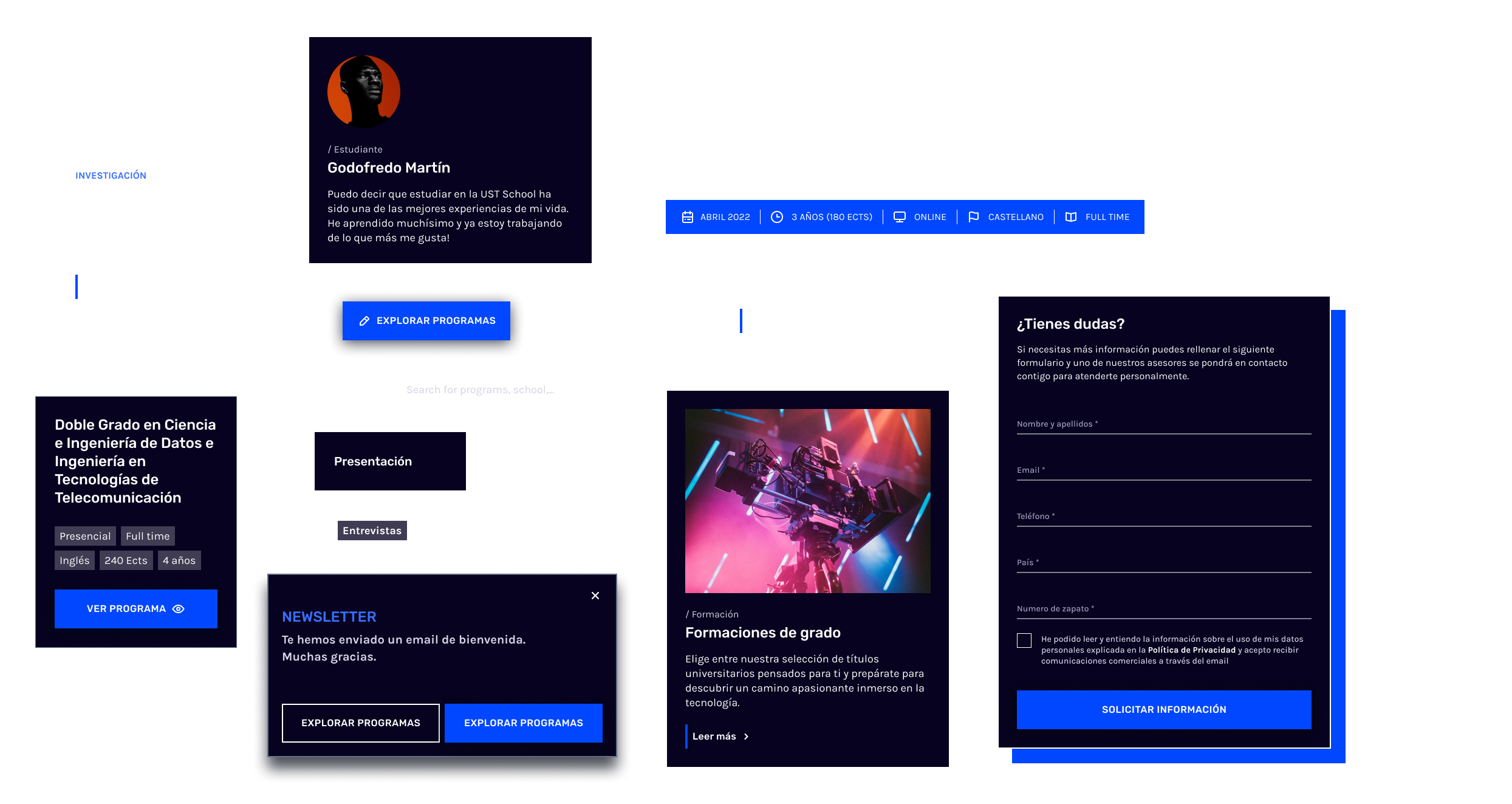
Section titled “Component”These are the individual pieces that make up a module. They can be used several times within the same module, but a component can never exist outside a module. For example, a “Banner” module can be composed of text fields and components such as an image and a button.
Module
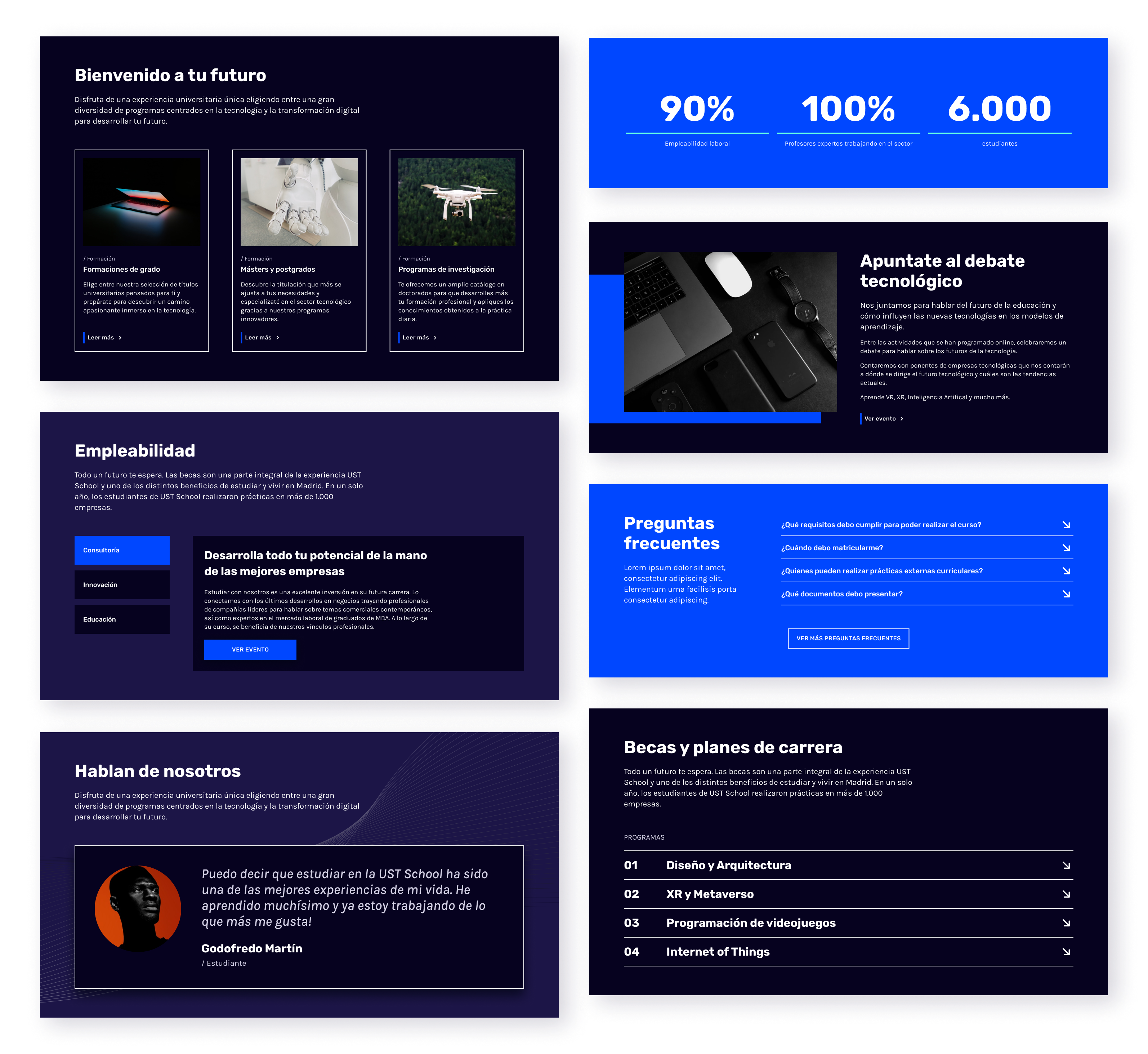
Section titled “Module”These are the main building blocks of a page. They represent complete sections, such as a block of text, a collection of cards, an image gallery, a text block with a form, or a list of articles. They can be reused across numerous pages and sites.
Characteristics
Section titled “Characteristics”Independence:
Modules can be arranged in any compositional order, since there is no interdependence between them.
You can manage modules as a whole, copying, duplicating, or deleting them as needed.
Flexibility within the design system:
- It can have several themes and subthemes available, which are designed sets of colors, typography, spacing, and so on.
- It can have several “layouts,” which are different display options related to structure, that is, image on the right, on the left, 2 columns, 3 columns.
Template
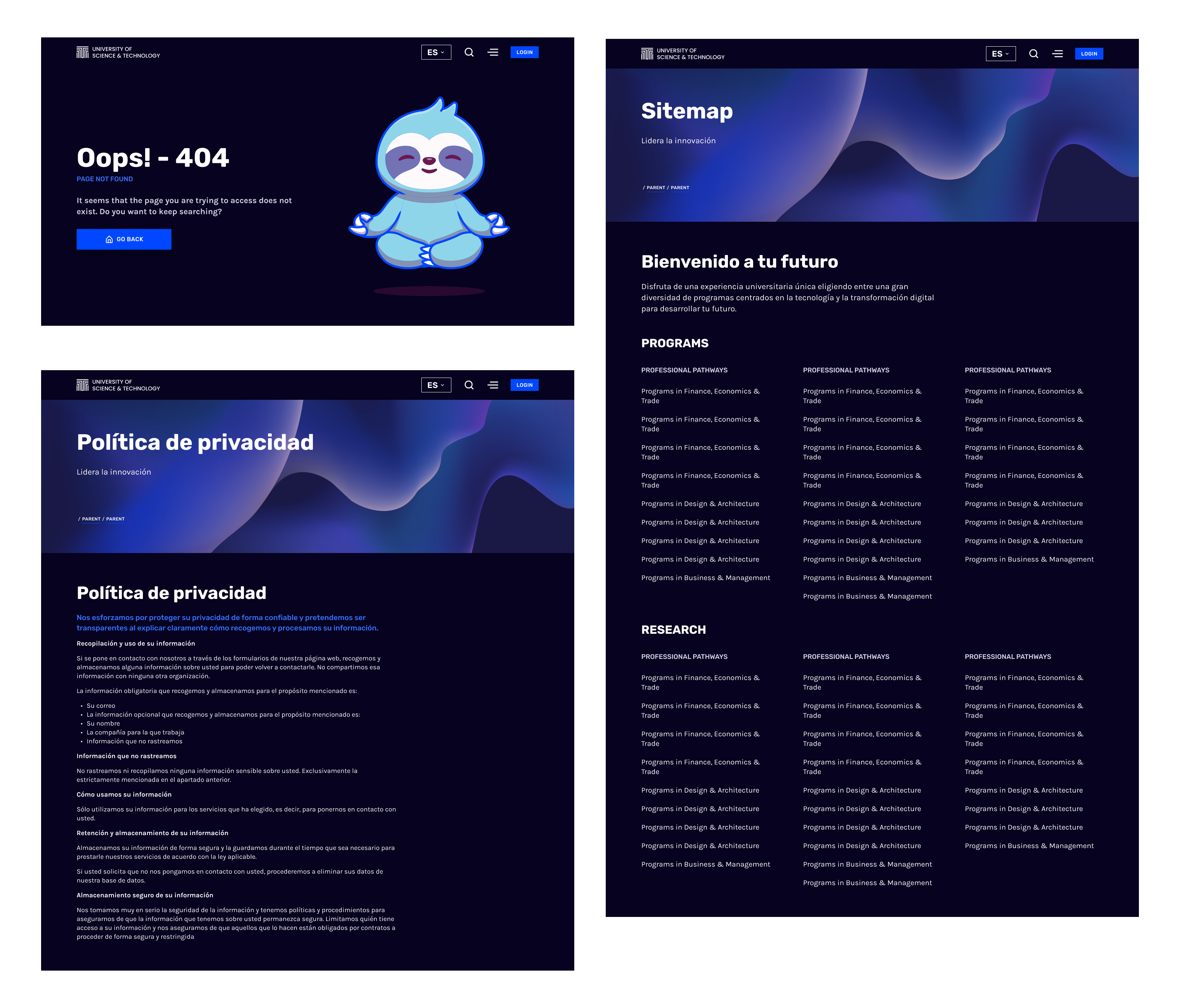
Section titled “Template”A template is a fixed structure for an entire page. As with modules, data can be entered manually into the fields, or it can be inherently connected to one or more content types.
It can allow “slots” where modules can be inserted, if the content editor deems it appropriate, as in a sitemap or contact template, and so on.
Its parts can be interrelated and can affect more structural elements, for example, offering a different type of navigation in a 404 error template or a search results template.
Content Types
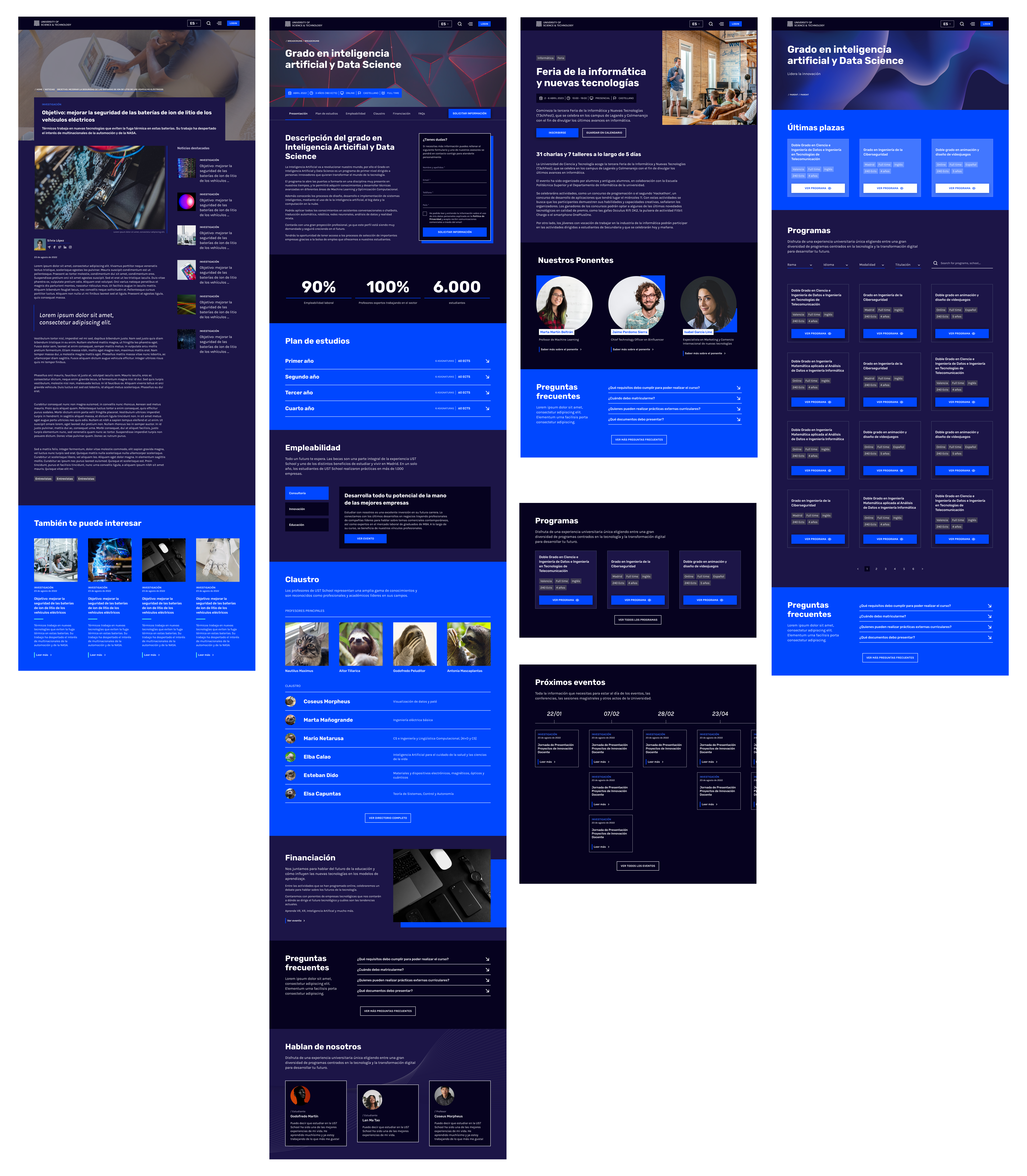
Section titled “Content Types”Griddo lets you create content that can be displayed on several pages at once thanks to Content Types. These are predefined structures that serve as a basis for creating and organizing different types of content. For example, you can have Content Types such as “News”, “Event”, or “Program”.
Content Types are a great tool for maintaining consistency in your content and speeding up its creation. Although they may seem complex at first, understanding them is key to getting the most out of Griddo. They are ideal for handling information that changes frequently, such as program factsheets, events, or faculty members. When you update a content type, the changes are automatically reflected everywhere it is used.
They all share a data structure, are listed and paginated, can be filtered, or we can search among them for a specific item. There are two types:
Simple content (with no associated detail page).
Section titled “Simple content (with no associated detail page).”In the editor, this corresponds to a form. Its data will be consumed in modules.

Content with a detail page
Section titled “Content with a detail page”It has at least one associated template (or view) that primarily displays its content. When there is a page, the display is always on the page. Each type can have several template/view options for presenting that information. For example, in one template we may want the faculty member’s photo to be small, while in another we want it to be more prominent.
This data is used in:
- Various modules: distributors
- Various templates: listings, comparators, search tools, and so on
- On their detail pages (for those that have them)
There are site and global content types.
They carry associated categories and can be enabled on a site through Content Type packages.
Datapack
Section titled “Datapack”Content types are enabled per site, so that on each site you only have access to the content types you need, rather than all the ones available in Griddo.
For this, we have Datapacks or Content Type packages. These are packages that contain all the structures associated with a content type together.
Page Content Type package
Section titled “Page Content Type package”It includes everything you need to create content of that type. For example, the News package includes all the modules related to news (distributors) and the associated templates (listing and detail). It also includes the categories you can associate with this data (school, area, and topic).
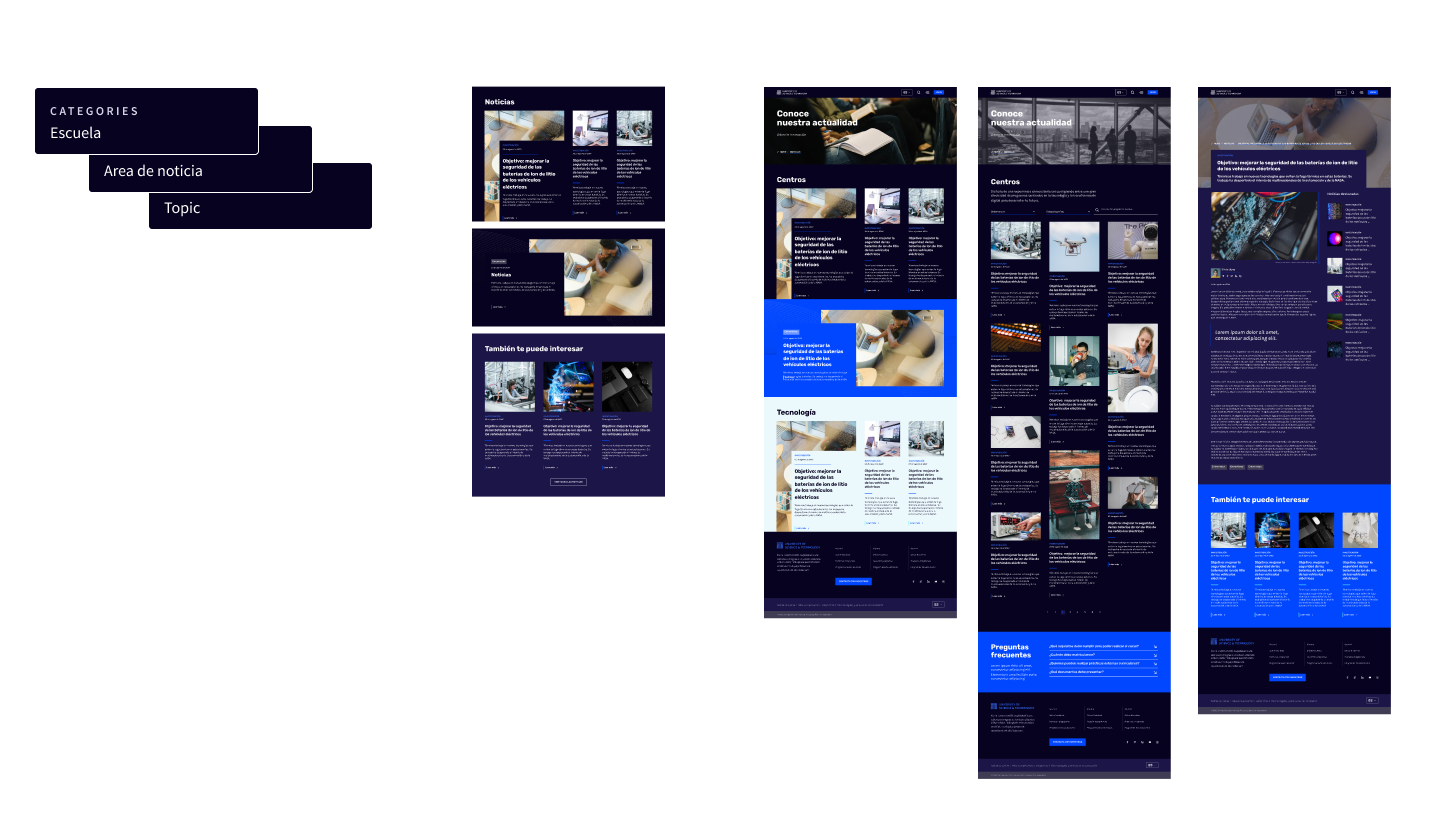
Simple Content Type package (with no associated page)
Section titled “Simple Content Type package (with no associated page)”It includes everything you need to create content of that type. For example, the Testimonials package includes all the modules related to testimonials (the distributor) and the categories you can associate with this data (testimonial type and program). It would not include templates, since none exist for this type of data.
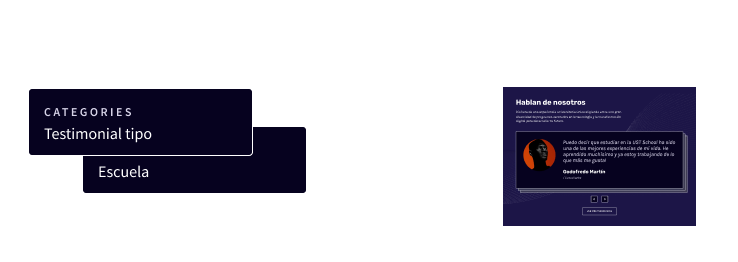
Quick glossary
Section titled “Quick glossary”To wrap up, here is a summary of the key terms:
- Site: A complete web project managed in Griddo.
- Page: An independent unit of content within a site.
- Global content: Information that can be reused across sites.
- Site content: Information specific to a single site.
- Component: Elements that make up a module.
- Module: A unit of content that is added to a page.
- Content Type: A predefined structure for creating content of the same type consistently.
- Datapack: Packages that contain all the structures associated with a content type together.
With these concepts clear, you will be ready to start exploring and mastering Griddo.