



Categories
Categories let you organize the content of a website, whether by topic or by its place in the site hierarchy. They are essential for structuring publications correctly and are a key approach when using tools that specialize in content management, such as Griddo.
What are they for?
Section titled “What are they for?”The main purpose of categories is to organize and classify the content published on a website. Thanks to them, both administrators and editors can arrange publications so that users can find them easily, enabling smooth and comfortable navigation across the site.
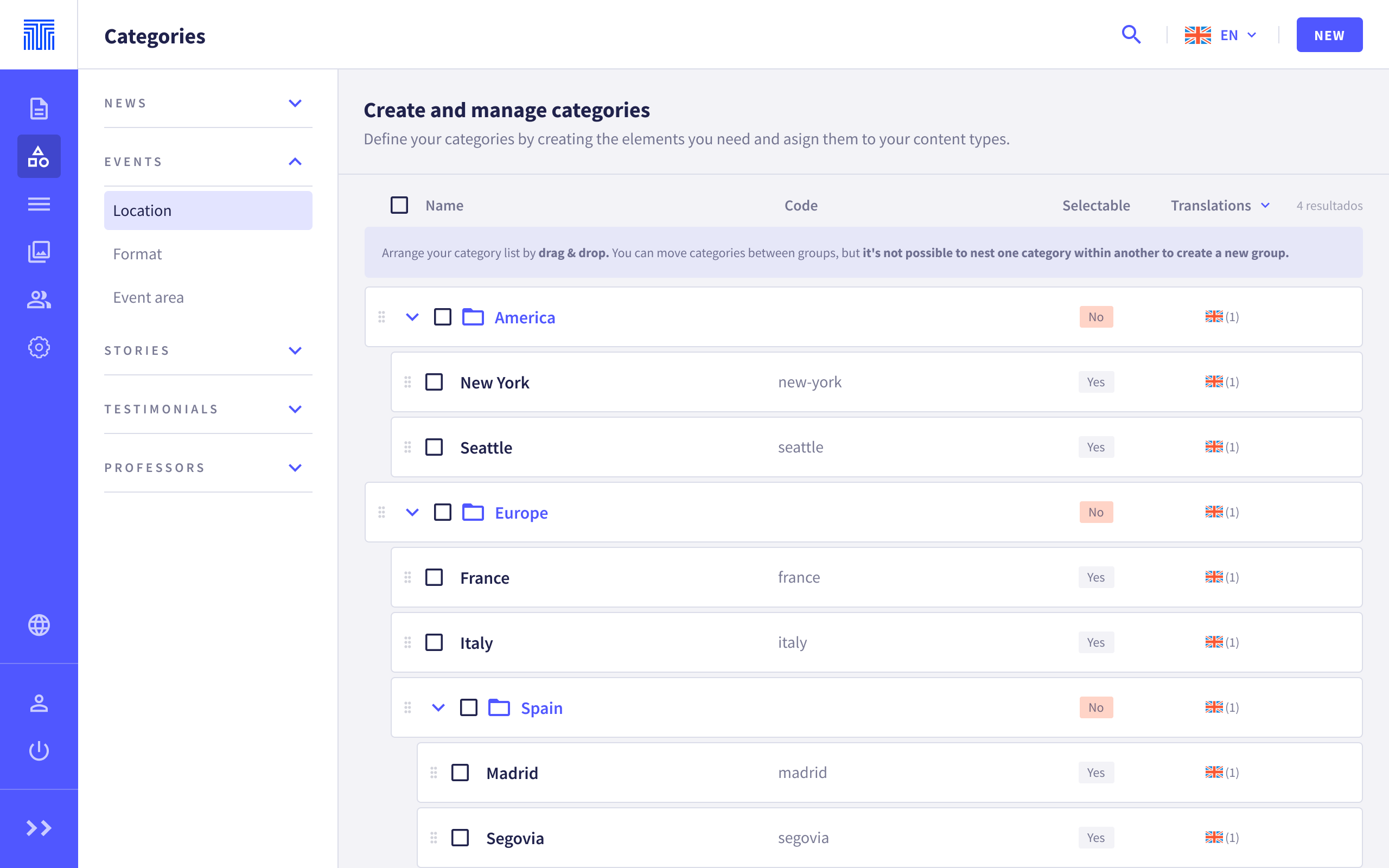
There are global categories and site categories
Global categories
Section titled “Global categories”Global categories span all sites. This means that all categories created here can be used on the pages and global data shared across several sites.
Local or site categories
Section titled “Local or site categories”Local categories are specific to a particular site and can only be assigned and used on the pages or data of that site.
Creating categories
Section titled “Creating categories”We can create categories and category groups to help the user find the right filter.
To do this, simply click New in the top bar and fill in the fields that appear in the side panel.
To sort the list of categories, you can use Drag & Drop. Categories can be moved between different groups, but you cannot nest one category within another. The order set in this list will be the one the end user sees in the filter selector of the data listing they want to filter.
By default, groups are not selectable by the website user, but we can allow them to be selectable in the filter by checking the Selectable yes option.
- Selectable No: The group appears as a label that separates categories, but it cannot be selected as a filter.
- Selectable Yes: This group will act as an additional filter in a listing.
Translating categories
Section titled “Translating categories”Categories and their groups can be translated the same way you translate a page.
Deleting categories
Section titled “Deleting categories”Categories and their groups can be deleted if they are no longer needed. If you delete a category that is being used on any page or data item, they will no longer have that category associated with them and, therefore, will stop appearing in the listings and distributors that use it.
When deleting a group, we have two options:
- Delete only the group, keeping the categories it contains.
- Delete both the group and the categories it contains.
Categories are an essential tool for organizing and managing content effectively in Griddo. Taking advantage of the category creation, translation, and deletion features will allow you to keep your website well structured and easy to navigate. Remember to follow best practices when creating and managing your categories to ensure an optimal user experience and efficient content management.